
UEBA PreConfiguration adds all the necessary enrichment sources for UEBA. The sources enrich the event logs in Logpoint to comply with the data structure required by UEBA. You can view the added enrichment sources from Settings >> Configuration >> Enrichment Sources.
UEBA PreConfiguration adds the following enrichment sources:

Installed Enrichment Sources
UEBA PreConfiguration adds multiple enrichment sources, enrichment specifications, and compiled normalizers for the preparation of connection-related data sources for future versions.
UEBA_SourceAddrToHostname is an IPtoHost enrichment source. You can use it to convert an IP address present in the log events to a reliable hostname during the enrichment process.
Since IP addresses continuously change after logging on from a different machine, it is difficult to identify a unique host using the IP address. UEBA_SourceAddrToHostname solves the problem by uniquely recognizing the host through the resolved and fully qualified hostname.
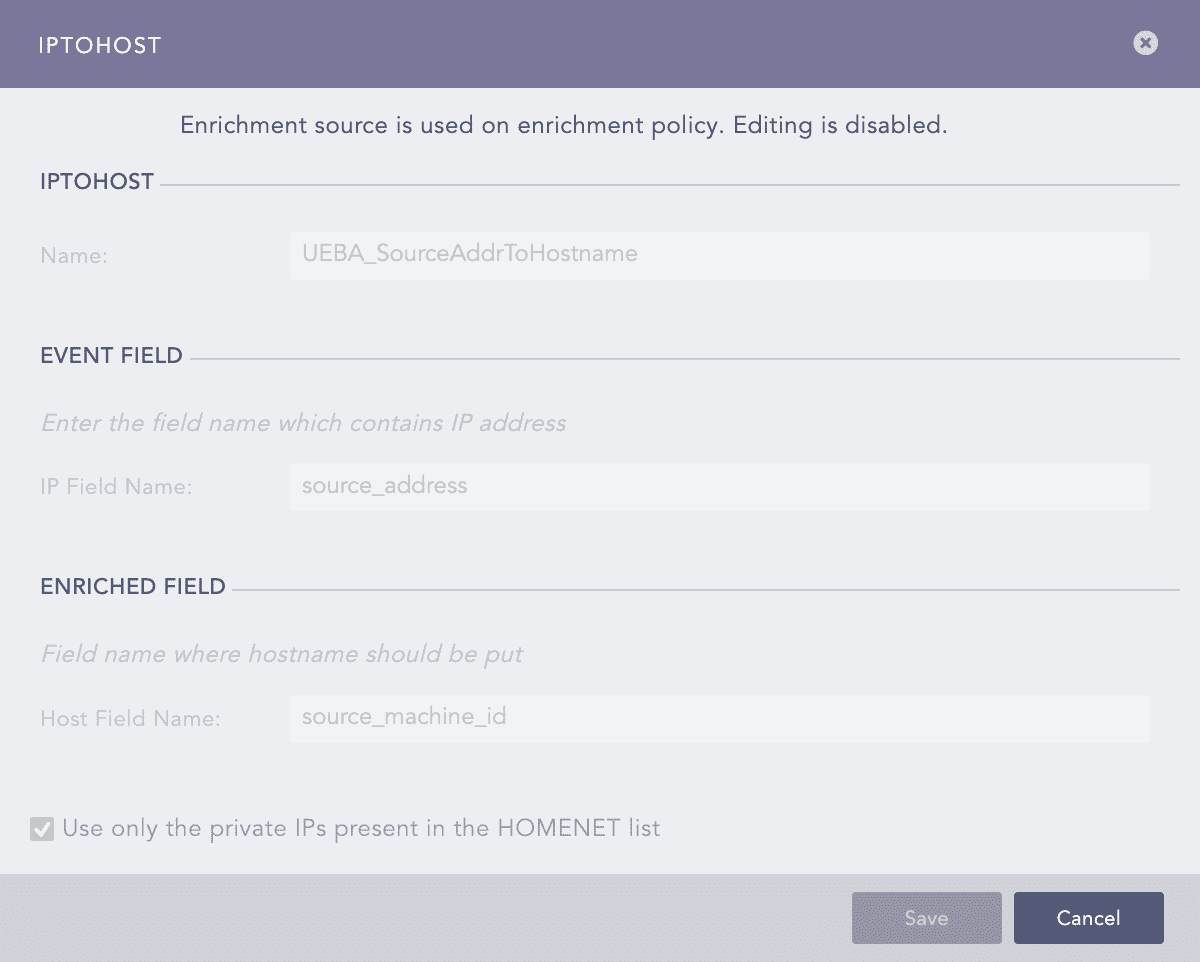
UEBA_SourceAddrToHostname Enrichment Source
When Logpoint receives a log containing an IP address in the source_address field, it requests the DNS server to resolve the IP into a hostname. If the DNS succeeds in resolving the IP Address, the hostname is shown in the source_machine_id field.
Note
Make sure you have properly configured the DNS server.
If Use only the private IPs present in the HOMENET list is enabled, Logpoint enriches only the logs with the source_address present in the HOMENET list.
UEBA_DestAddrToHostname is an IPtoHost enrichment source. When Logpoint receives a log containing an IP address in the destination_address field, it sends a request to the DNS server to resolve the IP into a hostname. If the DNS succeeds in resolving the IP Address, the hostname is shown in the destination_machine_id field. If Use only the private IPs present in the HOMENET list is enabled, Logpoint enriches only the logs with the destination_address present in the HOMENET list.
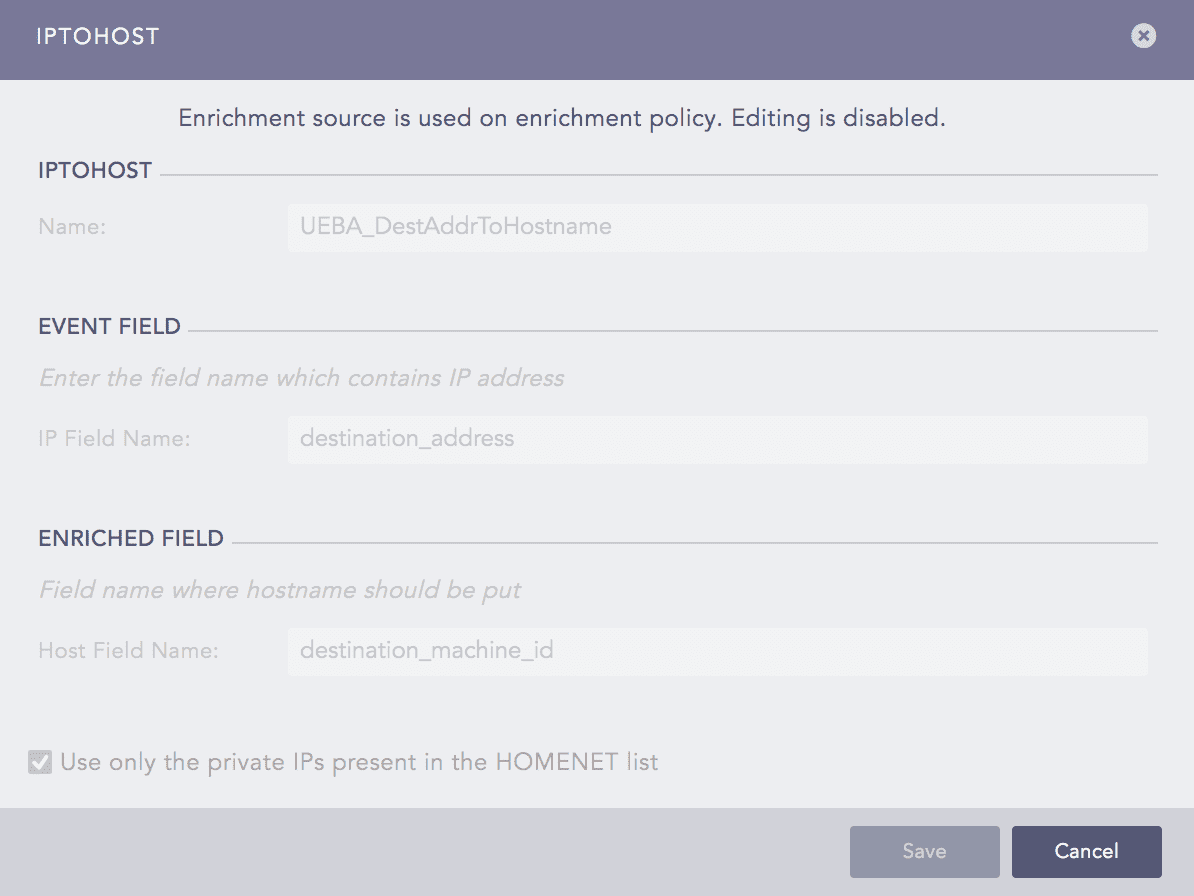
UEBA_DestAddrToHostname Enrichment Source
UEBA_ActiveDirectoryUsers is an LDAP (Lightweight Directory Access Protocol) enrichment sources. You can use it to extract additional information of users from the configured LDAP server.
When multiple domain controllers contain different accounts with the same names, it could be treated as the same user and result in an inconsistent model. LDAP provides a unique name for each user by enriching the sAMAccountName to the userPrincipalName. The userPrincipalName contains the username in the form of an email address, thus adding the domain information to make it unique.
Go to Settings >> Configuration >> Enrichment Sources.
Click UEBA_ActiveDirectoryUsers.
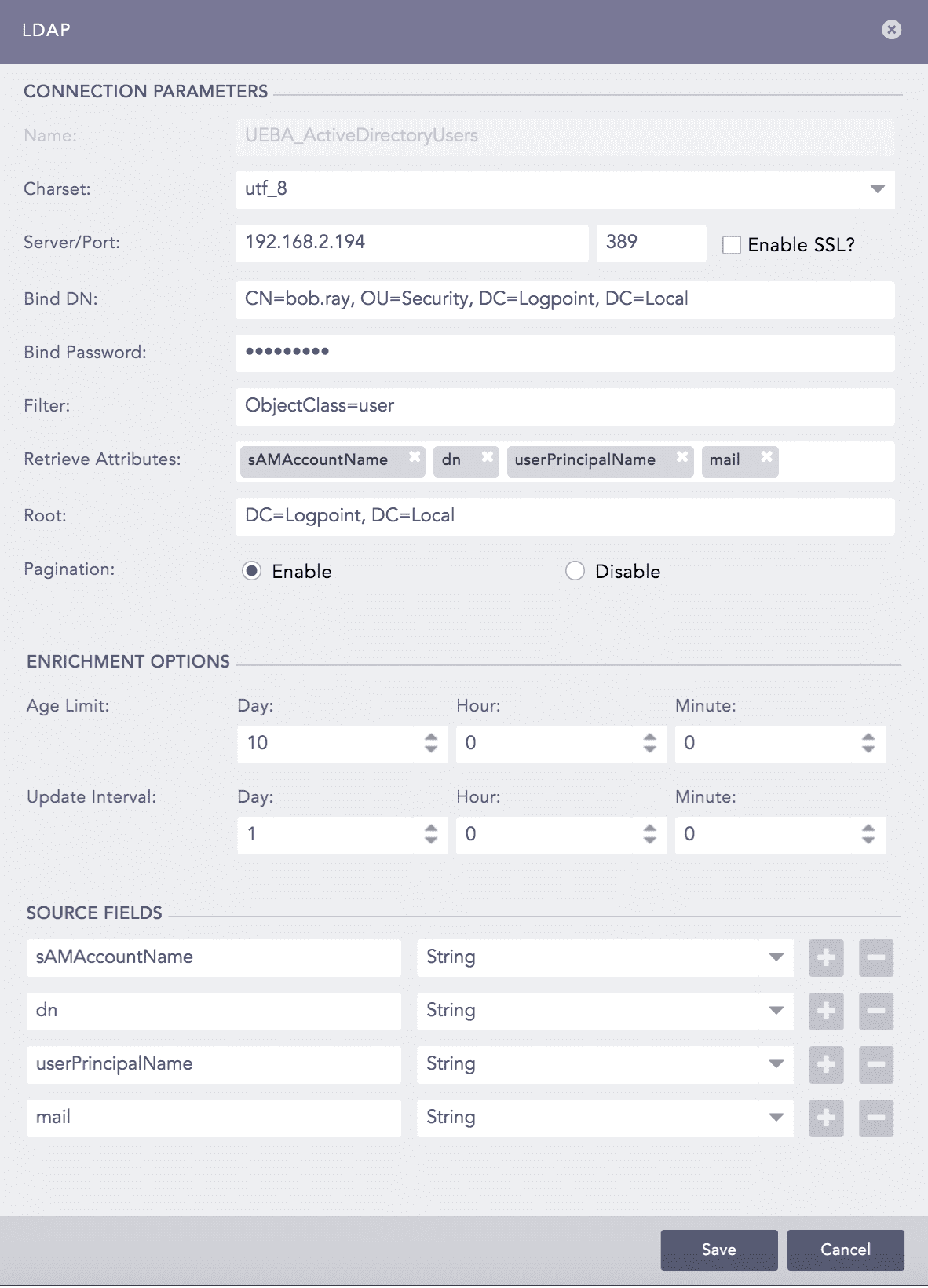
UEBA_ActiveDirectoryUsers Enrichment Source
Select the Charset. It is utf_8 by default.
Enter the LDAP Server’s IP address, and the Port number. By default, the Port number is 389.
Select Enable SSL? to create an encrypted connection.
Enter the Bind DN and Bind Password for the LDAP server. Information in the Bind DN indicates the credentials of the user authenticating the LDAP directory. The Bind Password must match the password of the user entered in the Bind DN.
By Default, ObjectClass=user is used as the LDAP search Filter. It is used as an identification to refine the search results. Do not change the filter.
Enter the attributes to extract in the Retrieve Attributes text field. You can find the default attributes already listed in the field. Add other attributes as per your need.
The text field should always contain the following default attributes:
sAMAccountName: Maps the users with the corresponding logs.
userPrincipalName: Provides uniqueness to the users across multiple domains.
dn: Used to identify the organizational units to which the users belong.
mail: Used to identify the email addresses of users.
Note
If the input log is enriched without the userPrincipalName for a user, UEBA treats the user as a different user once the input is enriched with the userPrincipalName.
You need to enrich the logs of the Administrator with the userPrincipalName as well.
Enter the Root node from which you want to extract the data.
Select Pagination to enable it.
Specify the Age Limit, which is the validation period of the source data. By default, the Age Limit is set to 10 days which means the source data expires every 10 days.
Specify the Update Interval. It is set to 1 day by default.
Configure the source fields by adding Fields with relevant Type.
Click Save.